
In this guide, you will learn the WhatsApp offline trick that makes your WhatsApp appear offline even when your internet is on. This method uses WhatsApp’s proxy features. When the proxy does not connect, WhatsApp behaves as if it is offline, and messages show a single tick, and calls do not go through.
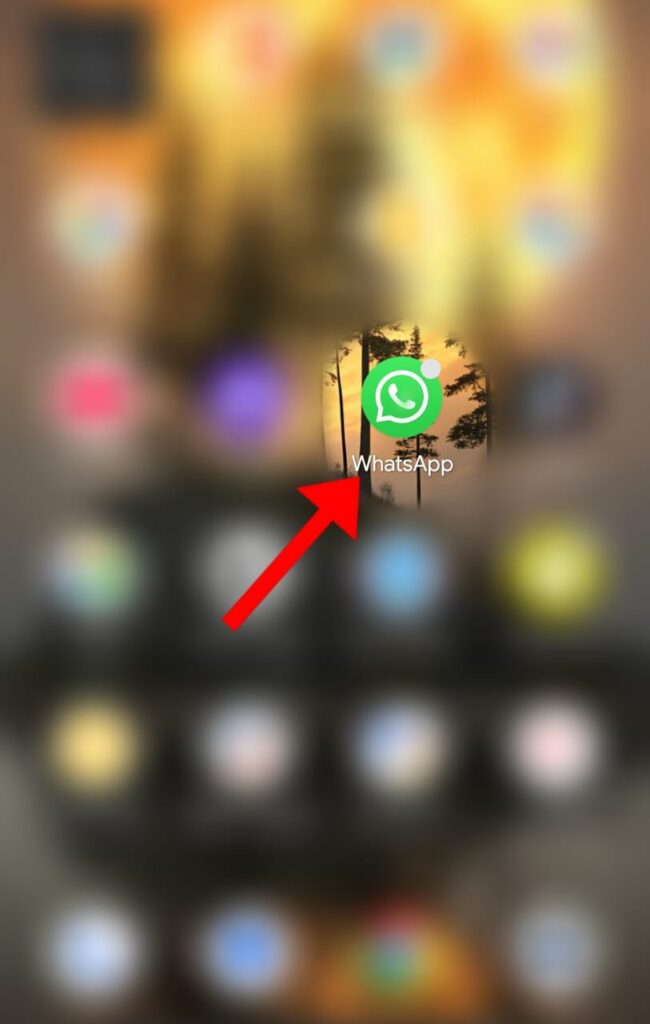
Step 1: Open WhatsApp
Start by opening your WhatsApp application.
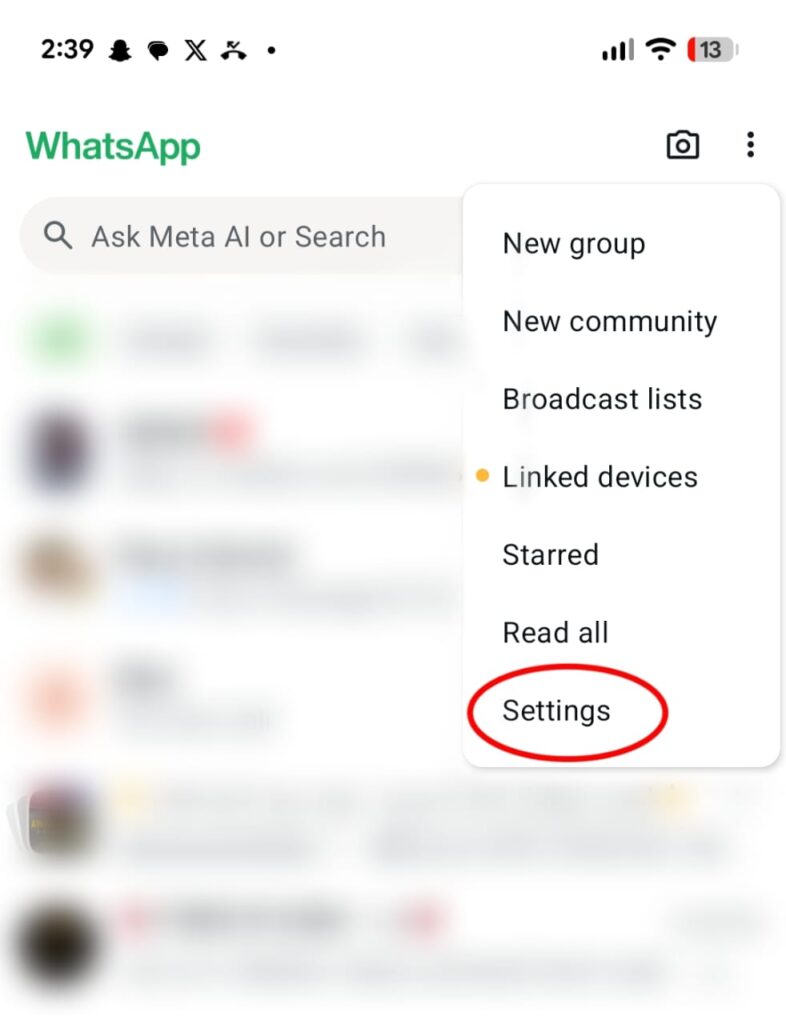
Step 2: Tap the Three Dots Menu (Top Right)
This menu gives access to important settings.

Step 3: Select “Settings”
This is needed to reach the Proxy feature.
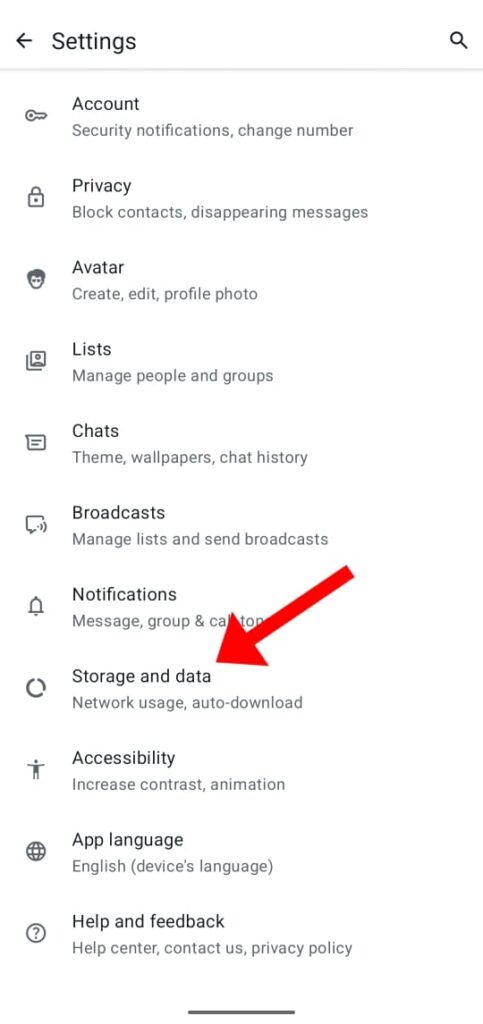
Step 4: Go to “Storage and Data”
The Proxy setting is located under this menu.
Step 5: Scroll Down and Tap “Proxy”
This is the main section for activating the offline trick.
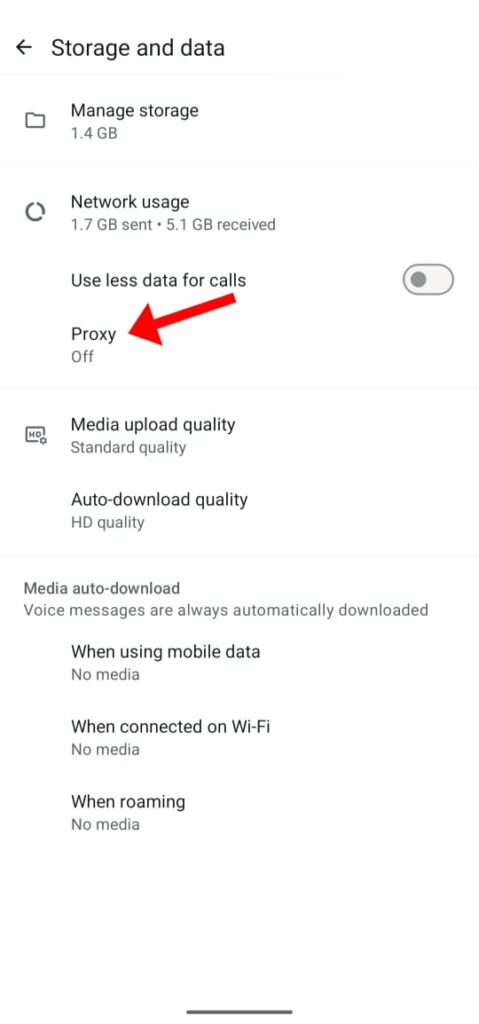
Step 6: Tap “Set-Up Proxy”
You will enter a fake or non-working proxy here.
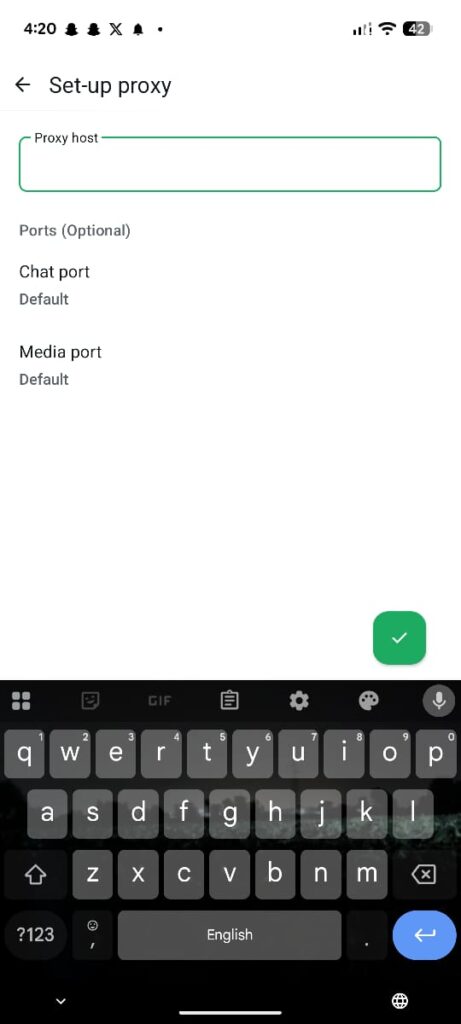
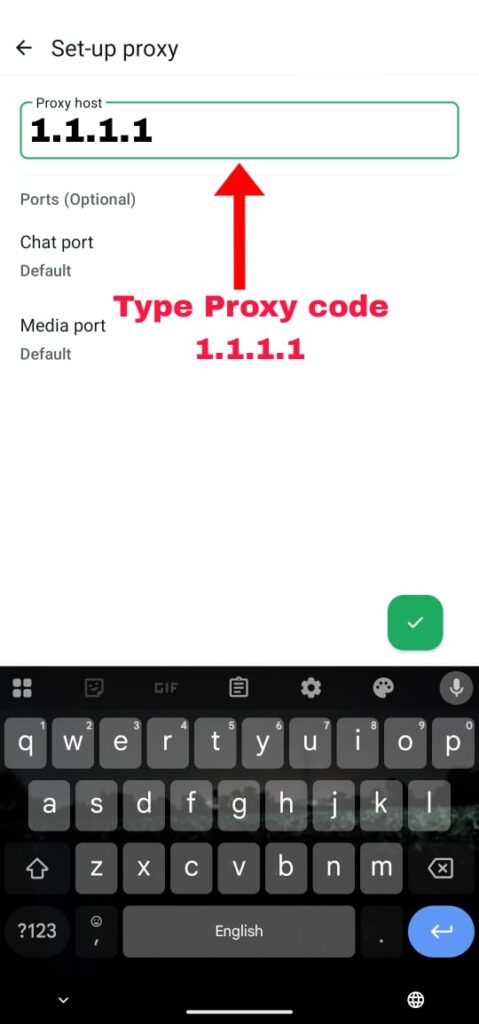
Step 7: Enter Any Non-Working Proxy Address
For example:
1.1.1.1
A non-working proxy forces WhatsApp to disconnect, activating the offline mode.
Step 8: Turn ON “Use Proxy”
Once you enable it, WhatsApp will show Disconnected.
This means:
- WhatsApp will not connect to the internet
- Your messages will show a single tick only
- Your calls will not go through
You will appear offline even when you are online

What Happens After Using the WhatsApp Offline Trick?
After enabling proxy:
- You appear offline
- Messages remain single-tick
- Calls will not connect
- Last seen and online status stay hidden
- You get complete privacy
How to Return to Normal Mode
To go back online:
- Open Storage & Data → Proxy
- Switch Use Proxy OFF
- WhatsApp will reconnect normally
Official WhatsApp Proxy Guide:
https://faq.whatsapp.com
Conclusion
This WhatsApp offline trick is perfect for users who want privacy, want to avoid unnecessary calls, or want WhatsApp to look offline while still having internet on their phone. With the images you provided, this guide becomes extremely easy for beginners to follow.
2 thoughts on “How to Use the WhatsApp Offline Trick With Proxy”