
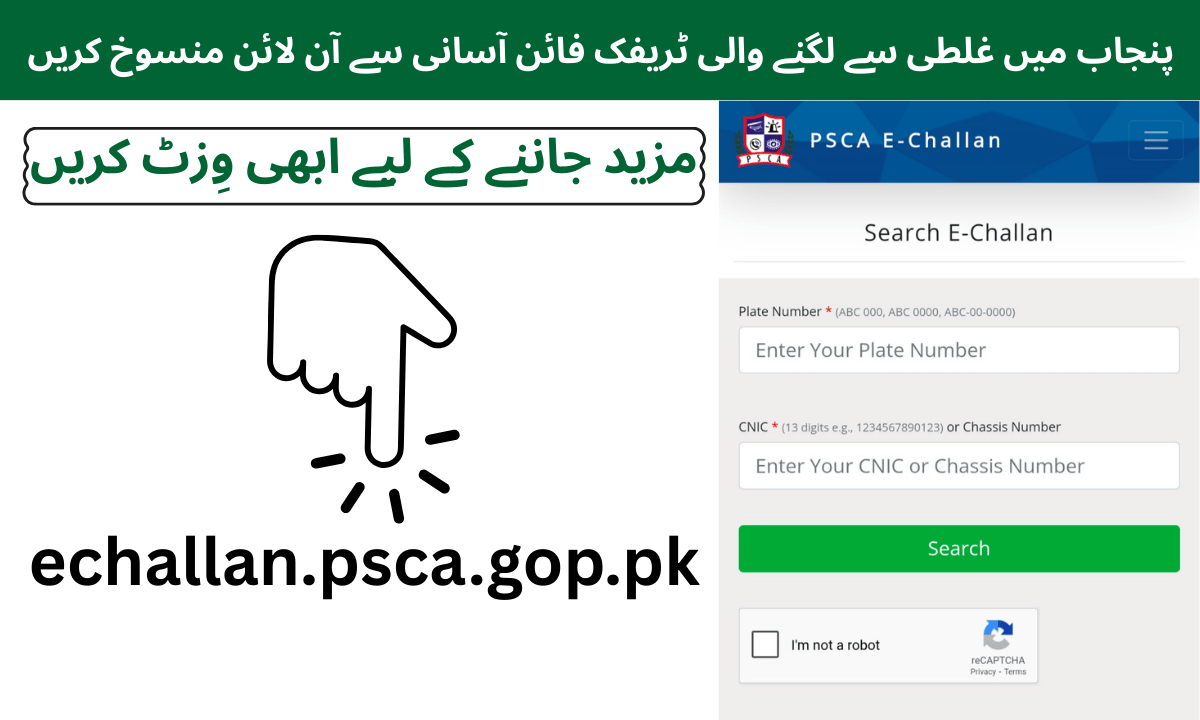
Dealing with a traffic fine can be stressful, especially if you get a fine by mistake, sometimes duplicate fines appear, or your vehicle is misidentified, or an old fine comes back unexpectedly. Fortunately, the Punjab state cities authority (PSCA) has made it very easy to cancel the traffic fines online without leaving your home. In this guide, we will show you the full process to save time and avoid unnecessary visits to traffic offices.
Why This Online Portal Is a Game Changer
Earlier cancelling traffic fines meant long waits multiple visits, and a lot of paperwork. Many people struggled because of misidentified vehicles or duplicate fines. Now, the PSCA online portal allows citizens to:
- Cancel fines from home.
- Resolve mistakes quickly.
- Avoid going to traffic offices unnecessarily.
This system is user friendly and designed to save both time and effort.
Step by Step Process to Cancel Your Traffic Fine
Follow these steps carefully to ensure your fine is canceled easily:
1. Visit the Official (PSCA) Portal
Open your browser and go to the official Punjab Safe Cities Authority online portal. This is the first step to accessing your vehicle details and starting the cancellation process.
2. Enter Your Vehicle Details
Once on the portal, enter your:
- Vehicle Registration Number
- CNIC Number
This details help the system correctly identify your case.
3. Select the Review Option
After entering your details, choose the review option. This will allow you to check whether there are any fines or issues asociated with your vehicle.
4. Write Your Statement
If a fine is issued by mistake, you can write your own statement explaining the situation. For example:
- Duplicate fines
- Misidentified vehicle
- Old fines are mistakenly active.
This statement is esential to clarify your case to the authorities.
5. Submit and Confirm
After writing your statement, submit it through the portal. The system will verify your request. If everything is correct, your fine will be cancelled with just one click.
6. Save the Confirmation
Once the cancelation is confirmed, save the confirmation. This ensures that if there are any errors in the system later, you have proof of your submission.
Benefits of Using the Online Traffic System
Using the PSCA online portal has several advantages:
- Time-Saving: No need to visit traffic offices physicaly.
- Convenience: Handle everything from home.
- Error Reduction: Avoid duplicate fines or misidentification.
- Quick Resolution: Most fines can be cancelled immediately.
This system is especially helpful for people with busy schedules who cannot spend hours in offices.
Common Mistakes to Avoid
While using the portal, make sure you avoid these common mistakes:
- Incorrect Details: Double-check your vehicle registration number and CNIC. Mistakes can delay the process.
- Incomplete Statement: Provide clear reasons for cancellation to prevent rejection.
- Ignoring Confirmation: Always save the confirmation to protect yourself from future errors.
By following these tips, your cancellation request will be smooth and hassle free.
Additional Tips for a Better Experience
- Use Google Chrome or Firefox: These browser are best for using the portal without errors.
- Check System Updates: Sometimes, the system may show temporary errors. Know the steps beforehand so you can handle them easily.
- Share the Knowledge: If your friends or family face traffic issues, share this process with them. It will save them time and effort.
official Punjab Safe Cities Authority portal, click here; PSCA Online Portal
Jobs for Students in Islamabad